People
Users and responsibilities
Custom business software development
Replace disconnected tools, spreadsheets and manual processes with software designed around your actual business operations.
We map how work moves through your organization, then shape the data, roles, integrations and interfaces around those needs.
More than code. We engineer digital solutions.
Business operations layer
Purpose-built software
Shared workflows · Data · Roles · Business rules
The operational problem
As a business grows, information and work can become scattered across tools that were never designed to work together.
Spreadsheets become hard to keep consistent
Employees enter the same data in multiple systems
Approvals rely on messages and manual follow-up
Reports require collecting data by hand
Separate subscriptions cover disconnected functions
Legacy applications are difficult to change
Teams work around product limitations
Overlapping records create confusion
Integrations cannot support the needed workflow
Your business should not have to change its processes just to fit someone else’s software.
Custom development reverses that relationship by shaping the software around the work—when existing products, configuration, integration or automation are not enough.
What it means
It is software designed specifically for an organization’s workflows, operations and information—not a fixed product model.
A custom system can define its own data structures, user roles, approvals, reports, integrations and business rules. It may be a focused internal application for one process or a broader platform that connects several teams.
The goal is not to custom-build everything. The goal is to identify what is unique, what existing tools already handle well and where a purpose-built component would be useful.
Users and responsibilities
Steps, rules and exceptions
Records and relationships
Reports, tools and integrations
What we build
From internal tools to multi-department platforms, software scope follows the workflow and the users who depend on it.
Bring operations, users, data and reporting into a coordinated system.
Give employees focused tools for recurring tasks and operational records.
Make approvals, task flows, handoffs and status changes easier to follow.
Provide controlled access to relevant information, requests and account activity.
Manage products, stock, orders and operational updates in one workflow.
Support employee records, roles, requests and department processes.
Turn operational data into views and reports people can act on.
Manage appointments, reservations, resources and availability.
Organize structured records and the documents connected to them.
Connect business functions while keeping responsibilities and access clear.
Business functions
A custom application can support one department or connect several functions through shared records and clear handoffs.
01
Leads, opportunities, quotes and follow-up activity.
02
Profiles, service history, requests and relationship context.
03
Work queues, status, handoffs and daily operational records.
04
Products, stock changes, availability and exceptions.
05
Requests, approvals, suppliers and purchase workflows.
06
Operational records and handoffs to finance tools where appropriate; not regulated accounting advice or services.
07
Employee records, access, requests and internal processes.
08
Service requests, assignments, progress and completion.
09
Appointments, reservations, resources and calendars.
010
Role-relevant summaries, filters, measures and exports.
011
Configuration, user management and operational oversight.
012
External contacts, requests, responsibilities and shared work.
Related software categories
These categories overlap, but each describes a different center of gravity.
Broad business need
Purpose-built around a specific workflow, department, industry requirement or combination of business functions.
Customer relationships
Primarily manages customer relationships, leads, sales activity, opportunities and communication.
Connected operations
Connects broader operational functions such as inventory, purchasing, orders, finance-related workflows and HR.
Some projects evolve into a custom CRM, ERP, combined platform or specialized management system. Explore CRM and ERP development for that focused service.
Make the right investment
Custom development can make sense when workflow, integration, scalability or operational requirements are not adequately served by generic software. It is not automatically cheaper or better.
Decision signals
These signs suggest it may be time to assess the current tools and process—not that custom software is automatically the answer.
Current software does not match the workflow
Teams rely heavily on spreadsheets
Systems contain overlapping or duplicate data
People repeatedly enter the same information
Important approvals happen manually
Reporting takes too much manual work
Business processes have specific rules
Existing systems cannot integrate well
Legacy software is difficult to maintain
The organization needs room to evolve
Business workflow engineering
Development starts with understanding the operation. Business rules are translated into interfaces, data structures and system behavior that can be reviewed with stakeholders.
Business requirement
Next: map the next decision
Process mapping
Next: map the next decision
System architecture
Next: map the next decision
UX and interface design
Next: map the next decision
Development
Next: map the next decision
Integration
Next: map the next decision
Testing
Next: map the next decision
Deployment
Next: evolve with feedback
Improvement
AI can write code. Engineers solve problems.
The difficult work is understanding the real need, designing the right system boundaries and validating how the software behaves in everyday operations.
Workflows and approvals
A workflow system can make responsibilities, status transitions and approvals visible across departments.
A purchase request might move through manager approval, procurement, ordering, delivery and record updates. A customer enquiry might move through sales assignment, follow-up, proposal, approval and conversion. Real requirements also include notifications, escalation rules and audit history.
Approval chains
Task assignment
Status transitions
Notifications
Role-based actions
Escalation rules
Department handoffs
Activity and audit trails
Dashboards and reporting
Reports should answer real questions and match the responsibilities of the people using them.
Depending on the application, reporting can include operational, KPI, sales, inventory, workflow and user activity views. Custom filters, date ranges, role-specific dashboards and exportable data can help people examine a question without treating a chart as the answer.
Operational dashboards
Management reports
Sales and customer reports
Inventory reports
Workflow and activity reports
Custom filters and date ranges
Role-specific views
Exportable data
Access and security
Access should reflect users’ actual responsibilities and the information each workflow requires.
A system may need role-based and department-level access, record-level rules where appropriate, administration controls, approval authority and an activity trail. Security planning can include authentication, authorization, input validation, API communication, data protection, backups and secure deployment. We do not claim absolute security or unsupported certifications.
Administrators, managers, employees, customers, vendors and partners may need different actions. Define who can view, create, approve, change or export information, then check those permissions against real tasks and exceptions.
Role-based access
Department rules
Approval authority
Activity history
Integrations and modernization
Applications can exchange information through REST APIs and other supported interfaces when that fits the systems involved.
Integrations may connect third-party services, payment and communication tools, existing business software, databases or external data sources. We consider authentication, validation, ownership, errors and logging. For spreadsheet migration, legacy applications or databases, we plan cleanup, mapping, phased changes and validation rather than promising zero downtime or zero data loss.
Explore API integration servicesDifferent business models
These are examples of software needs JoomRocks can assess and build for—not claims that every listed industry is a past client.
Records, schedules and operating workflows.
Reservations, guests, rooms and daily operations.
Memberships, attendance, trainers and billing.
Customers, products, orders and inventory.
Orders, stock, purchasing and warehouse work.
Enquiries, jobs, employees and follow-up.
Client work, tasks, documents and reporting.
Requests, approvals, access and shared information.
JoomRocks products
These published products illustrate software built around specific business operations.
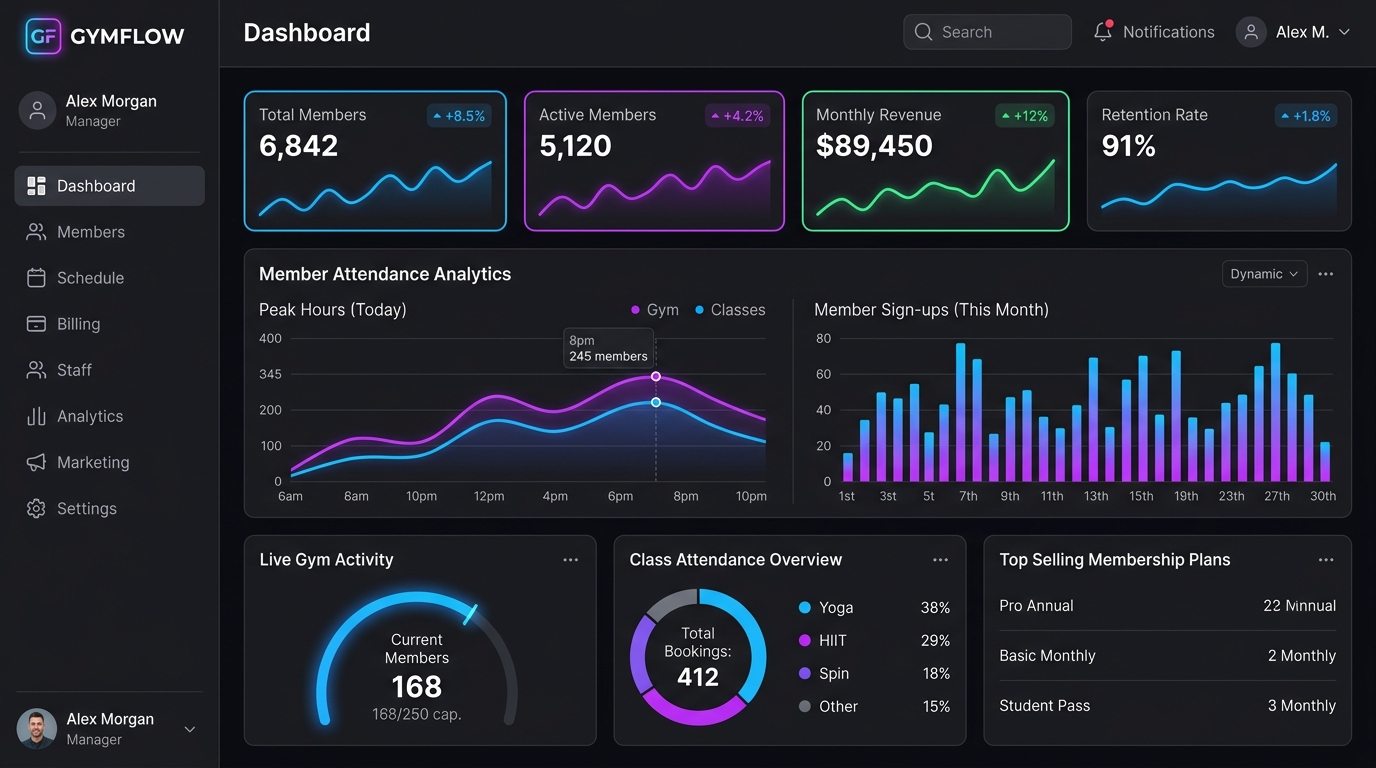
Gym management SaaS
The published product covers members, attendance, billing and gym operations.
Explore Trainzo →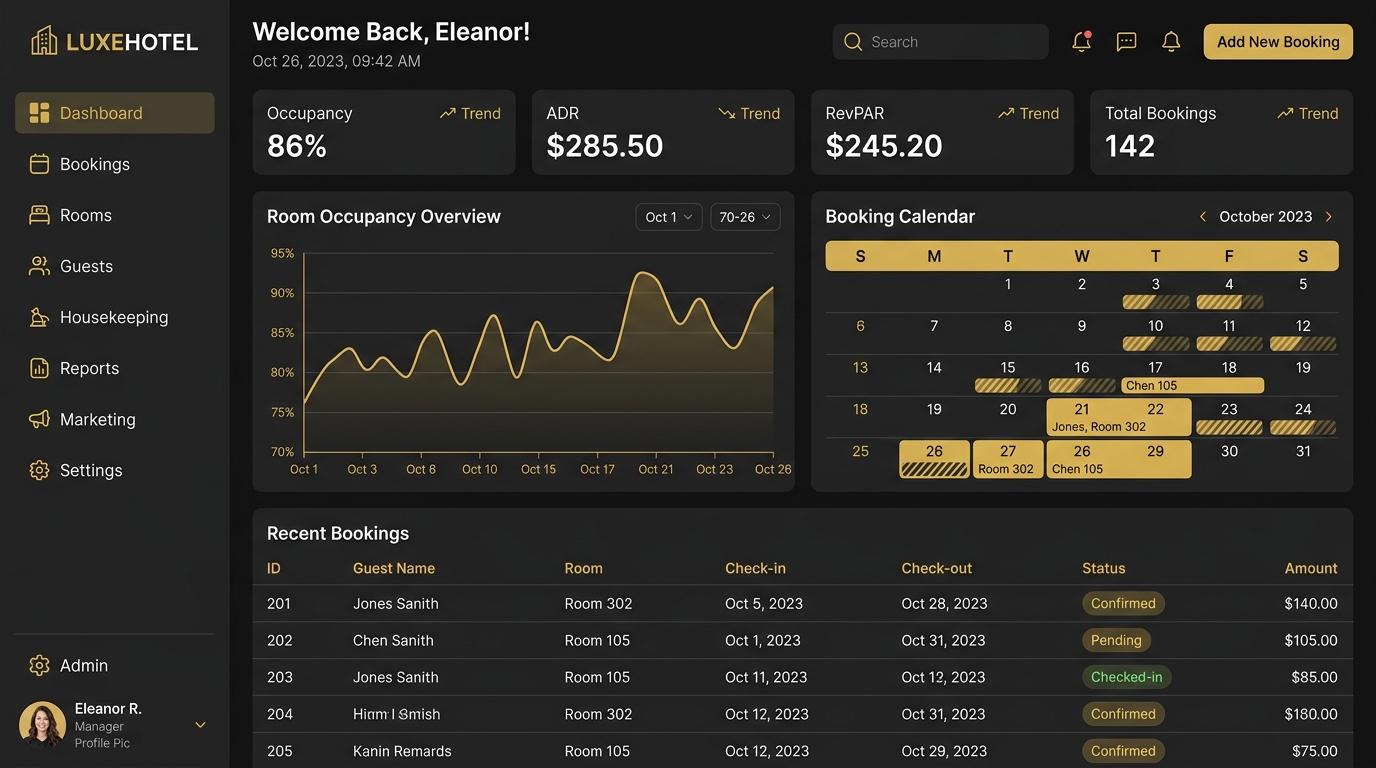
Hotel management software
The published product covers bookings, guest operations, billing and hotel workflows.
Explore InnManager Pro →Architecture and engineering
The system architecture should fit the workflows, data, interfaces and operating environment it must support.
Business software can combine web applications, backend services, databases, APIs, authentication, role-based access, integrations, responsive interfaces and server or cloud deployment. JoomRocks' published work includes PHP, Laravel, React, Next.js, Node.js, MySQL, PostgreSQL, MongoDB and Flutter. The appropriate choices depend on the application; this is not a fixed stack or a technology logo list.
The work includes understanding the business rules, designing dependable boundaries between systems and validating that the product supports real tasks. Mobile applications can be a related capability when the use case needs them, not a default extension of every project.
Explore mobile app development →Examples
These project types describe possible applications; each is shaped by its requirements rather than a fixed template.
How we work
Seven stages keep the work connected to business goals and user feedback.
Business goals, users, workflows and pain points.
Requirements, data, integrations and system boundaries.
Application structure, database, APIs, permissions and scale needs.
Interfaces, dashboards, workflows and user experience.
Develop the application in structured, reviewable iterations.
Validate functionality and integrations, then prepare a controlled release.
Support, optimization, new features and future evolution.
Why JoomRocks
We approach business software as a product that people need to use, maintain and evolve—not a one-off screen set.
Business-first requirements analysis
Architecture shaped around real workflows
Database-driven application development
Integration planning across systems
Custom dashboards and role-aware interfaces
Maintainability and future change considered
Software, API and mobile capabilities
Product engineering informed by published work
Related services
Custom business software is the business-focused view. These related services cover more specialized implementation needs.
The broader category for custom browser-based applications.
Learn moreCustomer management and connected business operations.
Learn moreAutomating repeatable processes and workflows.
Learn moreProducts designed to serve multiple customer organizations.
Learn moreDepending on the system, implementation can also use custom PHP development, Joomla or WordPress.
Frequently asked questions
Common questions about fit, delivery and ongoing ownership.
Custom business software is designed around an organization's workflows, data, roles, approvals, reporting, integrations and business rules. It can be a focused internal application or a broader management platform.
It may be useful when spreadsheets, disconnected tools or generic products make important workflows difficult, duplicate data or prevent needed integrations. First compare existing software, customization, integration and automation with custom development.
Cost depends on scope, workflows, users, integrations, data migration, reporting, security and implementation complexity. Requirements need to be understood before an estimate is meaningful; there is no fixed price for every system.
Timing depends on the number and complexity of workflows, integrations, data migration, review cycles and release requirements. After discovery, we can define a staged scope and delivery plan.
It can centralize selected records and workflows. We first examine what the spreadsheets track, how people use them, which rules or exceptions matter and what needs to move into the new system.
Where supported and appropriate, systems can exchange data through APIs or other interfaces. The integration plan should define authentication, data ownership, synchronization and how failures are handled.
We can assess the data source, field mapping, record relationships, duplicates, history, permissions and validation needs. Migration is planned and tested against the specific data; zero data loss cannot be promised without analysis.
Yes. Some business software projects fit CRM, ERP or a combination of both. See our CRM and ERP development services for that specialized scope.
The interface can be responsive for mobile browsers. A dedicated mobile app can also be considered when field work, device capabilities or user workflows justify it.
Architecture can be planned around expected workflows, data and integration needs, while keeping future change in view. Scalability depends on implementation and operating conditions rather than a guarantee.
We can assess its code, data, dependencies, integrations and operating environment, then compare targeted upgrades, refactoring, integration, phased replacement or a rebuild.
We can discuss maintenance, fixes, compatibility work and future improvements after reviewing the system and the support needs.
Have a business process that doesn’t fit existing software?
Tell us how your team works today, where tools or handoffs get in the way and what the software needs to support. We can help assess the right first step.
Describe the process you want to simplify, the users involved and the systems your software needs to work with. We can review the requirements and discuss a suitable approach.

We build scalable SaaS platforms, automation systems, and custom web applications for growing businesses.
Have a project idea? Let’s discuss and build something great.
Get Free Consultation